


The White House
4.81.50K Reviews
App Specs
- Version
- 47.6.12
- Updated On
- License
- Free
- Downloads
- 100,000+
- Developer
- Executive Office of the President
- Categories
- News & Magazines
- Platform
- Android
Screenshots
 Analysis by AppCompare
I judge The White House by a simple standard: does it help me follow the work and public communications of the presidency without making me sift through a general-purpose news feed? Its clearest strength is focus. This is a free news and magazines app from the Executive Office of the President, built around official updates, policy information, and live streams. That direct connection is useful, but it also defines the app’s limits: I treat it as one source for understanding what the administration says and does, not as a complete picture of American politics.
First Impressions and Interface
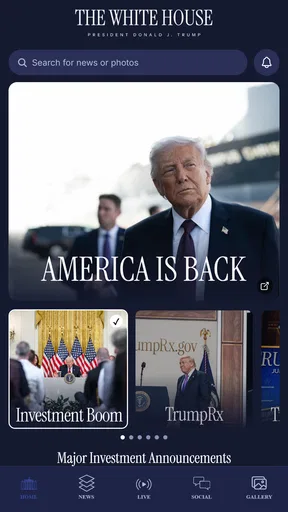
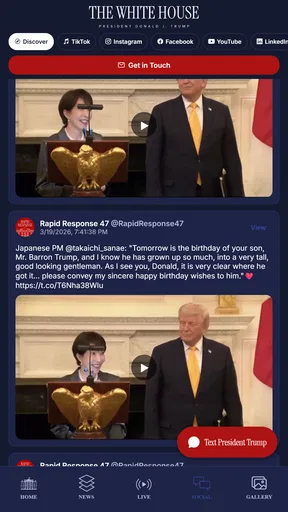
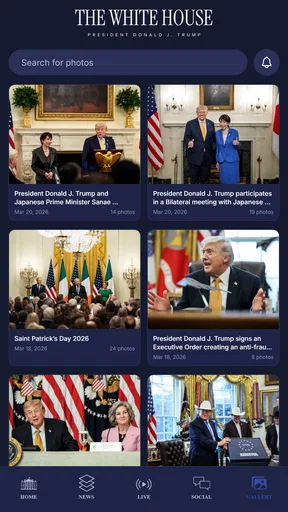
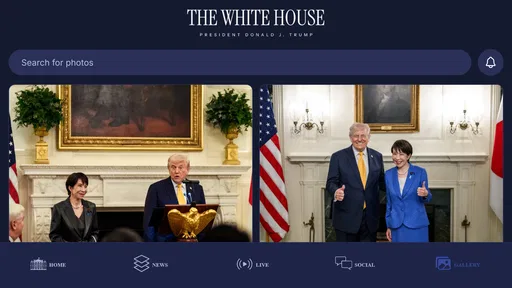
Right off the bat, the interface is super clean. You know how some apps just feel cluttered? Not this one. The White House app keeps things simple but sleek. Navigating through the app is a breeze, and everything is clearly labeled. It even feels like you're getting a peek behind the scenes, which is pretty cool.
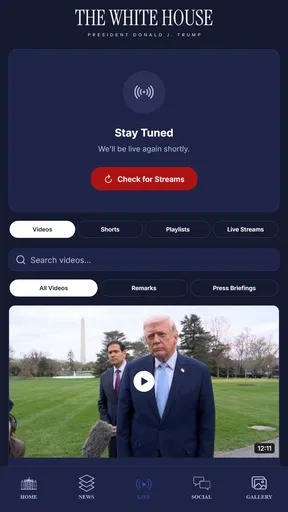
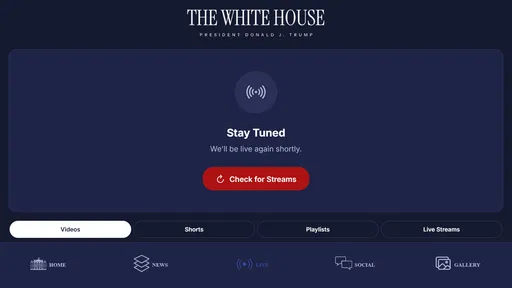
The home screen is where you’ll spend most of your time. It’s packed with updates, press releases, and even live streams of events. I watched a live briefing, and it felt almost like being there. There's something about watching real-time events that just makes everything more engaging.
That live access is most useful when an announcement is still unfolding and I want to hear the speaker’s full remarks rather than rely on a short excerpt circulating elsewhere. I would not plan my day around a stream, though: live events happen on their own schedules, and watching one takes more attention than scanning a headline. For a quick check between errands, the written updates are the practical choice; for a speech or briefing I care about, the video gives the words and delivery more context.
A small but important habit is to separate the official account of an event from independent reporting about it. The app can show me what the White House is announcing, which is valuable for primary-source access, but it is not designed to supply every opposing interpretation or outside verification. When a policy affects my work, household, or community, I use the app to locate the administration’s position, then compare it with reporting and other relevant sources before drawing conclusions.
Features That Stand Out
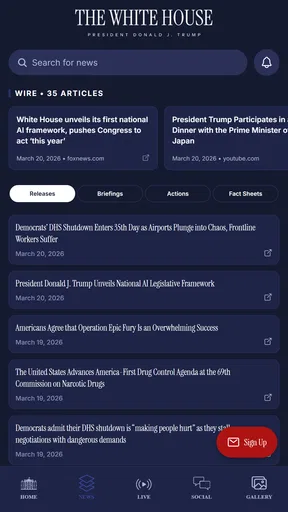
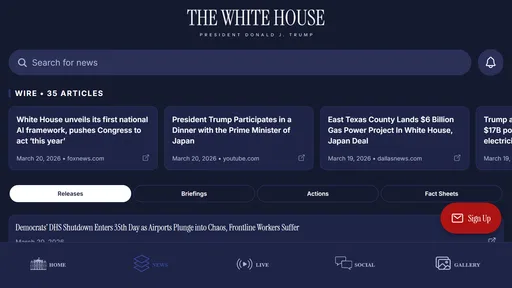
One of the standout features is the "Latest News" section. It’s like having a personalized newsfeed focused solely on the White House. Whether it's new policies, speeches, or announcements, you get it all in one place. The updates are timely, so you're always in the loop.
For following a developing issue, I find it more helpful to read several related updates than to treat one announcement as the whole story. A policy statement may explain the administration’s intention, while a later briefing or address can add detail. My practical approach is to note the date and subject of the announcement, then check whether a newer item changes the picture. That prevents an older headline from becoming my only reference when a topic keeps moving.
Worth Reading Before You Choose

EA SPORTS FC Mobile 26 Is a Bigger Football Game, but It Takes Time

Flipboard Shows What News Apps Must Do Beyond the Feed

Switching to Android Auto Means Rethinking Your Driving Routine

Google Calendar Makes a Crowded Week Easier to Manage

Ludo King Makes the Most of the Minutes Between Plans

Baby Panda World Brings Quick Play to Modern Phones, but Its Game Library Feels Busy
This focused feed is also where the app differs from a conventional newspaper or broad news aggregator. Those alternatives can place White House coverage beside congressional debate, court decisions, state-level effects, and reactions from different political viewpoints. Here, the value is a direct route to official material, not a balanced roundup of every angle. I would keep both kinds of source available rather than expecting one app to do two different jobs.
Another feature I loved is the "360 Virtual Tours." You can virtually stroll through the iconic rooms of the White House without leaving your couch. It's interactive and informative, and honestly, it's just fun to explore.
The tours make the app useful even when I’m not following a current political story. I can open one out of curiosity, spend a few minutes looking around, and come away with a better sense of the building as a place rather than just a setting in news footage. They also suit a shared moment: a parent can explore with a child, or a teacher can use the visual experience to start a conversation about the presidency and public institutions. I see that as a different kind of value from the fast-moving news feed.
If you're into history, the "Historical Moments" section is a gem. It highlights significant events and milestones in the White House history. I found myself diving deep into stories I knew little about, which was a pleasant surprise.
For a student or casual history reader, I’d use those historical pieces as an inviting starting point, then follow up with books or museum resources when a subject calls for more depth. The benefit here is that history sits alongside current White House material, making it easy to move from a present-day institution to earlier moments connected with it. That blend gives the app more staying power than a feed that only matters during a busy news cycle.
User Experience and Accessibility
Now, let's talk about the user experience. The app is designed to be accessible for everyone. There's a text-to-speech feature, which is handy if you're multitasking or prefer listening over reading. I tried it while cooking, and it was like having my personal news narrator.
Text-to-speech changes how I fit updates into a day, but it works best when I can listen attentively enough to catch names, dates, and policy details. If I’m trying to remember a specific point, I switch back to reading so I can scan the wording again. In practice, I’d use audio for catching up on general announcements and the text view for anything I may want to discuss or verify later.
Another neat aspect is the customization. You can set notifications for the updates you care about, so your phone isn't constantly buzzing with stuff you might not find interesting. I appreciated this because who doesn’t love a personalized experience?
My advice is to be selective with alerts from the outset. Notifications are helpful when I want a prompt about a subject I’m actively tracking, but they can turn a calm news routine into a steady stream of interruptions if I enable everything. I prefer checking the app at a chosen moment and using alerts only for topics where timing matters to me. That keeps the phone from deciding how often I think about politics.
For an everyday example, imagine I hear that a White House briefing is scheduled while I’m commuting. I can check the app later for an update, listen to a relevant item while preparing dinner, and watch the full stream when I have time and the subject matters to me. If I’m researching a school assignment, I can then use the historical material as background and compare official statements with independent coverage. Each part serves a different purpose; none requires me to follow every notification or sit through every event.
The app is free, carries an Everyone age rating, and has a 4.5 average from around 2.2 thousand ratings. It has passed 100 thousand installs, and its current version is 47.2.3, with Android 7.0 or later required. Those details make it accessible to a broad range of Android users, though the real question is whether official White House material is something you want to consult regularly. Its release date is March 26, 2026, so I would also keep the installed version current when relying on it for the latest experience.
One reasonable question is whether this can replace a regular news app. I wouldn’t use it that way. It is a focused companion for official statements, live events, and White House-related history; a general news source is better for comparing viewpoints and following developments beyond the executive branch. Another practical question is whether it suits occasional visitors. I think it does: the tours and historical material can be explored without making a commitment to follow daily politics, while the news feed is there when a particular issue draws your attention.
Who Will Get the Most from It
I’d recommend it to people who want a direct way to check official announcements, students who need a starting point for research, and anyone curious about the institution’s history and spaces. It is particularly handy for readers who prefer to consult source material before forming an opinion. Someone who follows policy closely may appreciate having streams and updates in one place, while a casual visitor can simply explore the educational side.
I’d be less enthusiastic about recommending it as the only political app on a phone. Readers who want investigative reporting, side-by-side political perspectives, extensive coverage of Congress or state government, or a running analysis of what an announcement means will be better served by independent news outlets as well. The official perspective is a strength when that is what I’m seeking, but it is also a boundary. Knowing that distinction makes the app more useful, not less.
Final Thoughts
Overall, The White House app is a solid choice for anyone interested in staying connected with U.S. politics and history. It's informative, easy to use, and offers a level of transparency that’s both refreshing and engaging. Whether you’re a political enthusiast or just a curious citizen, this app brings you closer to the action.
So, if you haven’t already, give it a download. Dive into the world of politics, uncover historical treasures, and stay updated with what’s happening in one of the most powerful houses in the world. Trust me, it’s worth the space on your phone.
Pros
- Engaging and educational content.
- User-friendly interface.
- Regular updates with new information.
- Detailed virtual tours available.
- Free to download and use.
Cons
- Limited offline functionality.
- Occasional bugs in navigation.
- Requires constant internet connection.
- Content can be text-heavy.
- No interactive features for younger users.
FAQs for The White House
What features does The White House app offer?
The White House app provides users with live streaming of events, access to the latest news directly from the administration, and exclusive behind-the-scenes content. It also includes interactive features like the ability to submit questions and participate in polls. Users can also explore historical archives and receive notifications about important announcements.
Is The White House app free to download and use?
Yes, The White House app is completely free to download and use on both Android and iOS platforms. There are no hidden fees or subscription charges, allowing users to access all features and content without any cost. The app is designed to provide transparent and direct communication from the government to the public.
How can I ensure my privacy while using The White House app?
The White House app is committed to protecting user privacy. It collects minimal data necessary for functionality, such as app usage statistics. Users are encouraged to review the privacy policy available within the app settings to understand what information is collected and how it is used. No personal data is shared without consent.
Does The White House app require an internet connection?
Yes, an internet connection is required to access most features of The White House app, including live streaming and news updates. However, some features like archived content can be accessed offline once downloaded. It's advisable to use a stable Wi-Fi connection to ensure seamless streaming and updates.
Can I customize notifications in The White House app?
Absolutely, The White House app allows users to customize notifications based on their preferences. You can choose to receive alerts for specific types of content, such as live events, breaking news, or policy updates. This ensures that you only get notified about topics that matter most to you, keeping you informed without overwhelming you.


